

安卓系统英文粗体文件,Introduction to Android System English Bold Font Files
Introduction to Android System English Bold Font Files

Android, as one of the most popular mobile operating systems, offers a wide range of customization options to its users. One such customization is the ability to change the system font, including the English bold font. This article delves into the details of Android system English bold font files, their significance, and how they can be utilized to enhance the visual appeal of your device.
Understanding the Role of English Bold Font Files
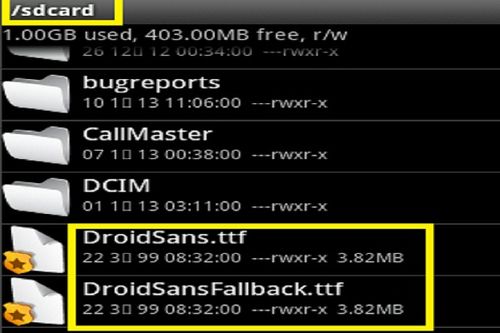
English bold font files are an integral part of the Android system, providing a distinct and pronounced style to text. These files are primarily used for headings, titles, and other emphasis areas where a bolder font style is desired. By modifying these font files, users can achieve a more personalized and visually appealing interface on their Android devices.
Types of English Bold Font Files in Android

Android devices utilize different font files for various purposes. Here are some of the commonly used English bold font files in the Android system:
DroidSans-Bold.ttf: This is the primary English bold font file used in Android devices. It is a system font that provides a bold and clear appearance for text.
Roboto-Bold.ttf: In Android 4.0 and later versions, the Roboto font family is used as the default system font. The Roboto-Bold.ttf file is the bold variant of the Roboto font, offering a modern and sleek look.
OpenSans-Bold.ttf: Some Android devices may use the OpenSans font family, and the OpenSans-Bold.ttf file is the bold variant of this font, providing a clean and professional appearance.
Locating English Bold Font Files

English bold font files are typically stored in the system fonts directory of your Android device. The exact location may vary depending on the device manufacturer and Android version. However, a general path to look for these files is:
/system/fonts/
It is important to note that modifying these files requires root access to your device. Proceed with caution and ensure that you have a backup of your original font files to avoid any potential issues.
Replacing English Bold Font Files

Here is a step-by-step guide to replacing the English bold font files on your Android device:
Download the desired English bold font file from a trusted source.
Install a root file explorer app, such as Root Explorer, to access the system fonts directory.
grant the app root access and navigate to the system fonts directory.
replace the existing English bold font file with the downloaded one. Ensure that you have the correct file name and format.
Reboot your device to apply the changes.
After rebooting, your device should display the new English bold font style across the system interface.
Considerations and Precautions

While replacing English bold font files can enhance the visual appeal of your Android device, there are a few considerations and precautions to keep in mind:
Backup: Always create a backup of the original font files before making any changes.
Compatibility: Ensure that the downloaded font file is compatible with your device's Android version and manufacturer.
Root Access: Modifying system files requires root access, which can void your device's warranty and potentially brick your device if not done correctly.
Conclusion

English bold font files play a crucial role in enhancing the visual appeal of the Android system interface. By replacing these files, users can achieve a more personalized and visually appealing experience on their devices. However, it is important to proceed with caution, ensure compatibility, and have a backup of the original font files to avoid any potential issues.
Tags
Android, English Bold Font, System Font, Font Replacement, Root Access, Customization